Cura 5.14: more control over supports, but what benefits for your models?
Paint-on-Support, tree supports and preview: what changes from Cura 5.13 and what still needs checking.
The new choice is where to place support
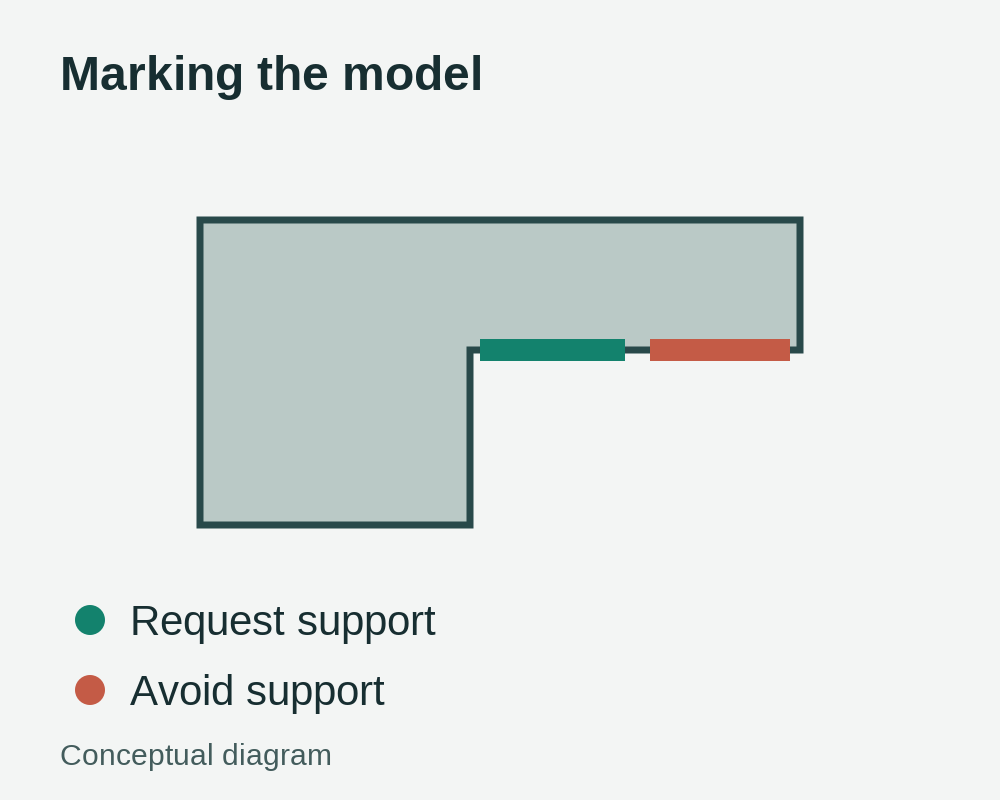
For people using Cura for FFF printing, version 5.14 introduces a new way to indicate where support is wanted. UltiMaker’s notes describe Paint-on-Support: users can paint areas where support should be requested or avoided, and use automatic generation adjusted with an overhang-angle slider.
Version 5.13 already had support blockers and tree supports; it also introduced Lightning as support infill. The change is therefore not the existence of adjustable supports, but the addition of area painting as a control.
For example, on a part with a projecting shelf, painting lets you mark the area underneath where support is wanted or an area to avoid. The generated preview still needs checking for that model.
Trees and preview serve different purposes
The 5.14 notes list new parameters for tree support branches, walls, transitions and bases. These expand configuration options; they do not guarantee a more stable structure in every print.
The preview uses distinct colours for bridge and overhang line types; a warning highlights severe overhangs when supports are disabled. These signals help people read the prepared model, but do not show how the print will turn out. The notes also list support fixes since the beta and a tabbed settings panel.
How to assess the update
UltiMaker’s blog associates the changes with practical benefits, but the sources examined do not provide enough comparative data to generalise them. We have not performed slicing or print tests: time, material, removal and surface quality remain to be checked on your own models.
A useful comparison starts with the same model and comparable settings in both versions: inspect the preview and estimates, then assess removal and surfaces on actual prints. We have not verified profile migration or compatibility of specific configurations.
Sources
- UltiMaker Cura 5.14.0 release notes — UltiMaker, accessed on November 27, 2026
- UltiMaker Cura 5.13.0 release notes — UltiMaker, accessed on November 27, 2026
- UltiMaker Cura 5.14 announcement — UltiMaker, accessed on November 27, 2026